
Hugge-TV: from desktop to TV
My custom home screen worked on my computer. On the TV, the editing controls disappeared off-screen. Here’s what it took to get them working.
 Hugo Vallin / Syvo Labs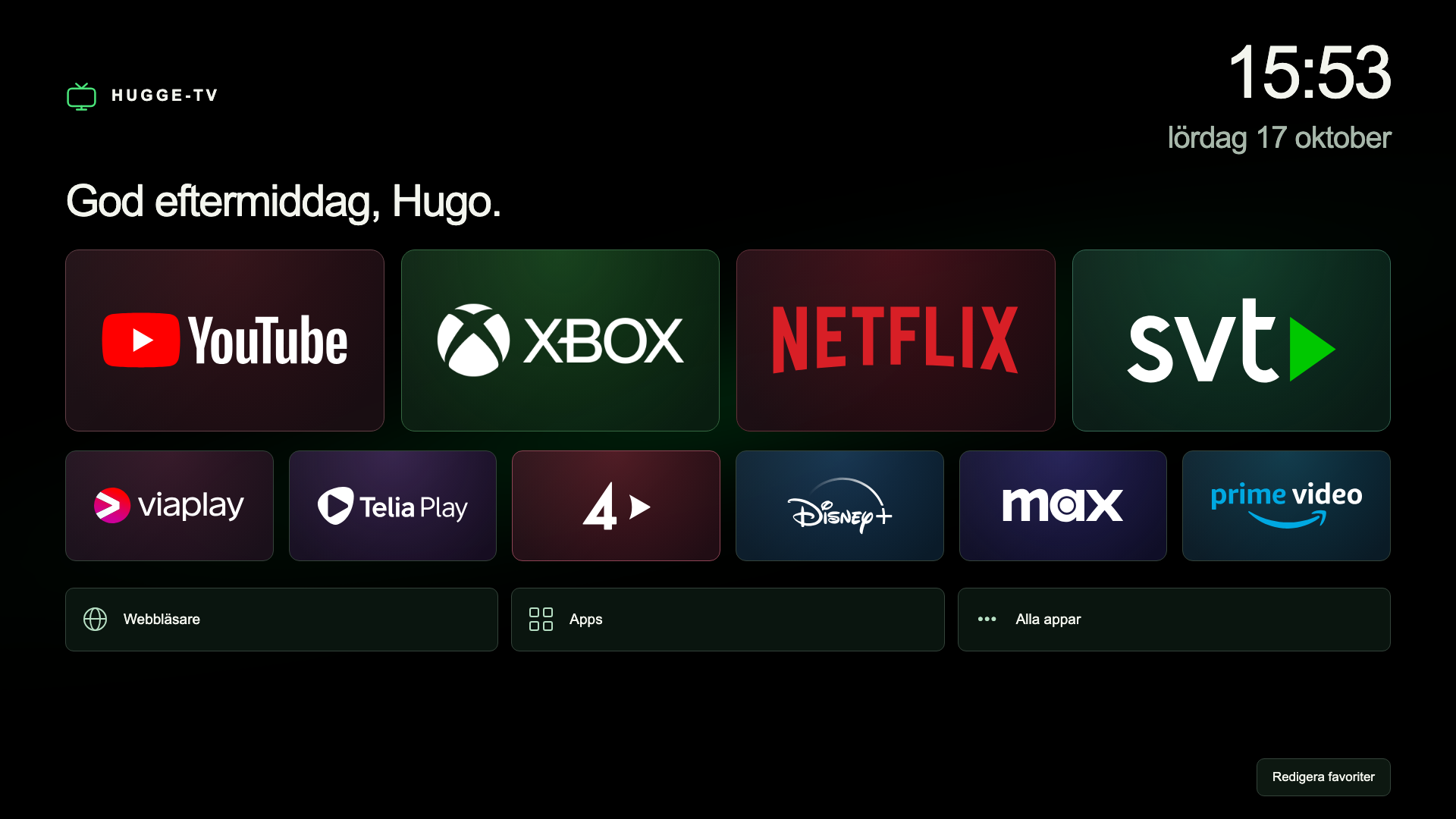
A home screen of my own
I’ve never liked webOS on my LG TV. I wanted a cleaner home screen with streaming apps, Xbox and my other shortcuts in one place.
Hugge-TV is a standalone app built with HTML, CSS and JavaScript. It runs on the TV, works with the regular remote and lets me choose which favourites appear and in what order.
When desktop testing wasn’t enough
Editing favourites worked in the desktop preview, but the dialog and some controls ended up off-screen on the TV.
The older webOS browser didn’t support the CSS inset property I’d used to position the dialog. I had to set top, right, bottom and left individually and adjust the spacing. Then I tested again on the TV with the remote.
Getting startup right
Startup took a few attempts too. A launch request could succeed while LG’s default home screen was still on-screen.
A separate Node.js script on a Raspberry Pi watches for the TV turning on and launches Hugge-TV. It also checks which app is actually being displayed. The home screen and its shortcuts run locally on the TV.
The result
Hugge-TV now runs on my LG OLED C1. Favourites are saved locally, and the Xbox shortcut selects the correct HDMI input. I got the home screen I wanted, but getting it to work on the TV took a fair bit of tinkering.
Questions or ideas?
Contact